Common Mistakes Planning Immersive Galleries: Curator's Guide
The most damaging errors in immersive exhibition planning fall into predictable patterns: prioritizing spectacle over story, skipping prototypes, ignoring infrastructure until it’s too late, and treating accessibility as an afterthought. Here’s a fast triage list with one-line fixes for each, followed by deep-dive sections for every item.
The highest-impact mistakes and their immediate correctives:
- Spectacle-first design — Define narrative and learning objectives before selecting any technology; start with the visitor journey, not the hardware spec.
- No single project coordinator — Appoint one person who owns communication between curators, architects, and contractors from day one.
- Lighting that prioritizes brightness over balance — Use zoned, glare-controlled layers; balanced contrast beats raw lux for navigation and inclusivity.
- Single-path visitor flow — Model overlapping zones and generous pause areas before finalizing the floor plan.
- Accessibility treated as a minimum — Design for inclusion from the first schematic, not as a compliance patch at the end.
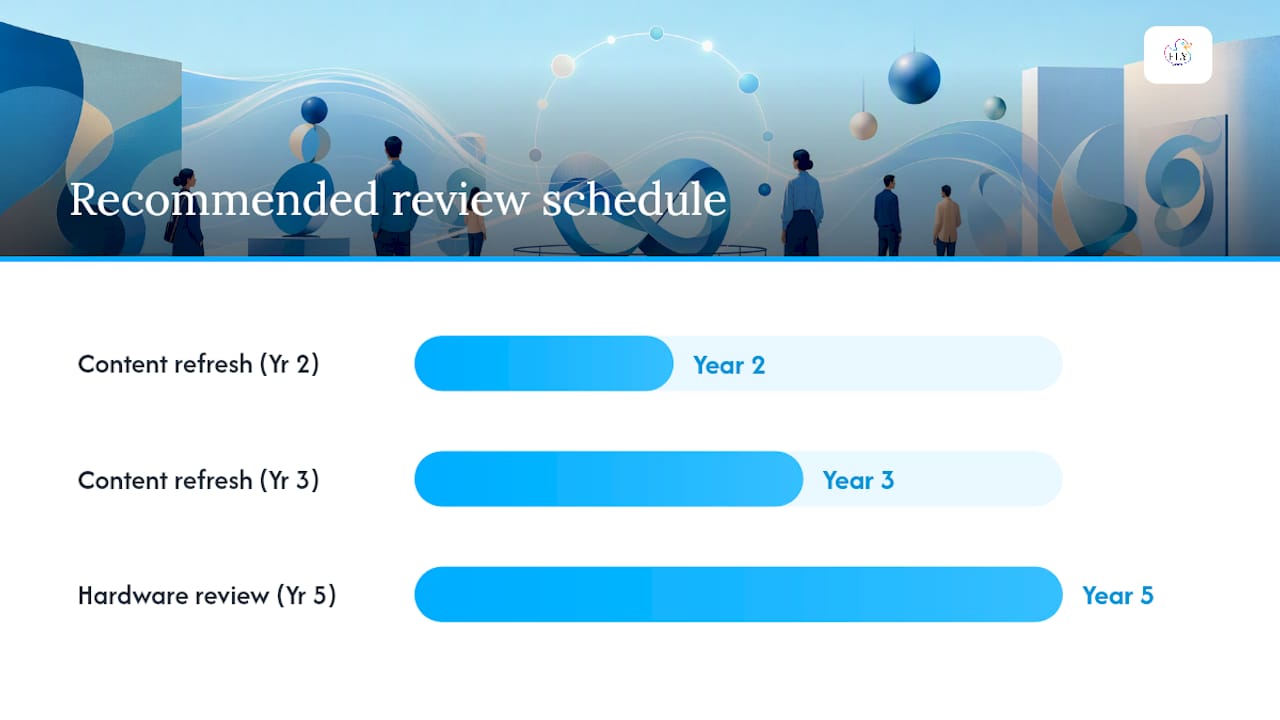
- Overbuying hardware, underbuying content — Budget for content refresh cycles (every 2–3 years) and CMS-driven updates, not just opening-day specs.
- Skipping staged prototypes — Run lab QA, on-site mockups, and a soft-open pilot before public launch.
- Ignoring conservation constraints — Get conservation clearance on light exposure, temperature, and humidity before finalizing placement.
- Cluttered or inconsistent labeling — Build a label hierarchy (primary wall copy, secondary captions, tactile/QR alternatives) and enforce it across every zone.
- Vague budget and timeline — Add a time buffer of roughly 25% and itemize sustainment costs (spares, SLA, refresh fund) from the start.
- No analytics plan — Define stop rate, dwell time, and completion metrics before opening so you can triage issues in week one.
- Deliver-and-disappear vendor contracts — Require handover documentation, recorded training, and a spares kit as contract deliverables.
Each mistake is covered in depth below. Jump to the section that’s most urgent for your project.
Table of Contents
- What are the most common lighting mistakes in immersive galleries?
- How does poor visitor flow break the immersive experience?
- Why does spectacle-first design produce shallow immersive experiences?
- How do you avoid technology selection mistakes in immersive exhibitions?
- What infrastructure mistakes derail immersive shows before they open?
- Why skipping prototypes is the fastest path to an unstable opening
- Artwork placement, hanging systems, and conservation mistakes
- How do you make immersive exhibitions genuinely accessible?
- How do project coordination failures derail immersive exhibitions?
- What does a good installation handover actually look like?
- How do you evaluate an immersive exhibition after it opens?
- Research-backed systemic pitfalls that planners consistently underestimate
- Pre-opening checklist: what to verify before you open the doors
- Key Takeaways
- The gap between spectacle and meaning in immersive art
- Flymiami creates gallery-ready immersive art built for the long run
- Useful sources and further reading
What are the most common lighting mistakes in immersive galleries?
The single most common lighting error is chasing brightness. Planners assume that more lumens equal more impact, but Buro Happold’s research on inclusive museum lighting shows that balanced contrast and glare control, not higher light levels, drive better navigation, lower visual fatigue, and genuine inclusivity. In an immersive context, that finding is even more consequential: a projector wash that looks dramatic in a dark room becomes a glare hazard the moment a visitor with light sensitivity steps in.
The core lighting mistakes to eliminate:
- Relying on a single ambient layer with no zone differentiation, which flattens hierarchy and makes circulation invisible.
- Placing light sources at eye level or in direct sightlines, creating hotspots that wash out projected content and cause reflections on glass or polished surfaces.
- Ignoring daylight integration: uncontrolled daylight creates contrast spikes that defeat any calibrated projection or UV effect.
- Setting artifact lux levels without checking conservation limits; many works require 50 lux or below, while interactive media zones may need 200 lux or more.
- Skipping a photometric model before install, then discovering calibration problems on opening day.
For mixed-media immersive shows, the practical approach is a three-layer system: ambient (low and diffuse), accent (directional, defining objects and pathways), and feature (the projection or UV effect itself). Each layer should be independently dimmable and zoned by gallery section. Gradient-based daylight controls, such as motorized shades tied to a building management system, prevent the contrast spikes that defeat UV-reactive works like those Flymiami produces.
Accessibility matters here beyond comfort. Glare is a genuine hazard for visitors with low vision or photosensitivity. ADA-relevant lighting concerns include avoiding sudden dark-to-bright transitions at doorways and providing adequate illumination at wayfinding signage without creating competing hotspots. UV art environments deserve special attention: the blacklight effect depends on controlled ambient darkness, but total darkness excludes visitors with mobility aids who need to see the floor.
Pro Tip: Before finalizing any lighting rig, run an on-site photometric check with a lux meter and a camera set to the same exposure as the human eye. Walk the space with a colleague who wears glasses — reflections they notice will be invisible to you.
How does poor visitor flow break the immersive experience?
Relying on a single linear path is the most common spatial planning error in immersive exhibitions. It assumes every visitor moves at the same pace, stops at the same moments, and never doubles back. In practice, dwell behavior is wildly uneven: one visitor spends twelve minutes at an interactive station while three others queue behind them, and the bottleneck collapses the experience for everyone downstream.
The fix is to design overlapping zones with generous pause areas, so stopping is built into the plan rather than treated as an obstacle. A path-of-travel map, which traces every possible route a visitor might take including backtracking and side-trips, is far more useful than a generic circulation diagram. The Smithsonian’s accessible exhibition design guidance recommends a minimum clear path width that allows a wheelchair user to stop to engage with content without blocking through-traffic. That width should be treated as a design baseline, not an edge case.
Common choke points and their mitigations:
- Narrow doorways or threshold transitions that funnel visitors into single-file movement — widen or add a parallel entry.
- Single-station interactives with no queue management — mirror the station or add a secondary display showing the same content.
- Sightline obstructions from large sculptural elements placed mid-path — use sculptural anchors at room corners or perimeter positions to open sightlines.
- Timed or triggered media sequences that create involuntary crowd clustering — stagger trigger zones or use ambient loops that reward stopping without punishing late arrivals.
Spatial modeling checklist before finalizing the floor plan:
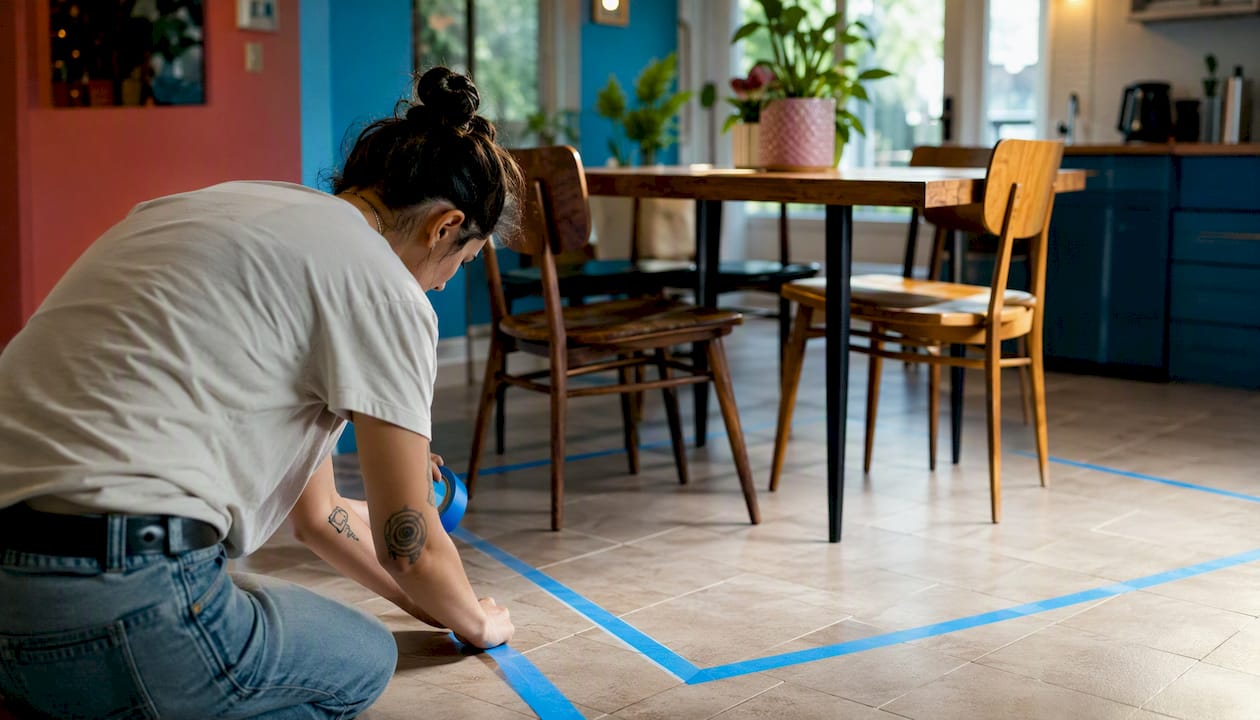
- Tape out the full path of travel on the floor and walk it with a wheelchair and a stroller.
- Identify every point where two visitors stopping simultaneously would block through-traffic.
- Mark dwell zones (expected stop points) and confirm each has at least 60 inches of clear width on all sides.
- Run a timed simulation: place staff at each interactive and count how long a realistic interaction takes, then calculate queue depth at peak capacity.
- Prototype sightlines with cardboard stand-ins for large elements before committing to placement.
For complex layouts, 3D rendering and architectural CGI can model visitor flow and sightlines before a single wall goes up, catching problems that tape-on-floor tests miss.
Why does spectacle-first design produce shallow immersive experiences?
The pattern is consistent across failed immersive shows: the technology gets chosen before the story gets written. The result is what researchers call “pseudo-immersion” — a visually impressive environment that visitors move through without retaining anything or feeling genuinely moved. Analysis published in the Cultural Heritage Journal found that newly built museums can fall into a “high-tech infrastructure but low experiential quality” pattern when hardware investment outpaces content transformation and interaction design.
Story-first design prevents this. The practical sequence: define the learning or affective objective for each zone, then ask what interaction type best serves that objective, then select the technology that delivers it at the institution’s operational capacity. Not the reverse.
Common narrative pitfalls:
- Digital features added as “enhancements” after the physical exhibition is designed, with no connection to the zone’s interpretive question.
- A single spectacular moment (a projection dome, a mirrored infinity room) with no narrative arc leading into or out of it.
- Content that showcases the technology rather than answering a question the visitor actually has.
- No single-message-per-zone discipline, leaving visitors unsure what they were supposed to take away.
A simple mapping template helps curators stay disciplined:
| Zone | Core question | Interaction type | Learning objective |
|---|---|---|---|
| Entry | What is this about? | Ambient projection, orientation text | Set context and emotional tone |
| Zone 2 | Why does this matter? | Tactile or audio interactive | Build personal connection |
| Zone 3 | How does it work? | Hands-on demonstration | Deepen understanding |
| Exit | What do I do next? | Reflection prompt, takeaway | Motivate post-visit action |
Curating an immersive pop art show that holds attention requires exactly this kind of zone-by-zone scripting, where every physical and digital element earns its place by serving the narrative rather than decorating it.
The Guardian’s coverage of high-profile immersive shows notes that exhibitions criticized as “money grabs” tend to prioritize spectacle and ticketing revenue over reflection and learning. The reputational cost is real and long-lasting.
How do you avoid technology selection mistakes in immersive exhibitions?
The short answer: choose technology that matches the story and the institution’s operational capacity, not the headline specs in a vendor’s pitch deck. Vendors that prioritize technology over storytelling cause a disproportionate share of immersive project failures, according to Tornado Studios’ analysis of institutional procurement mistakes.
Procurement checklist:
- Write requirements tied to narrative outcomes, not hardware categories (“visitors should be able to explore three alternate timelines” rather than “we need a VR headset station”).
- Evaluate at least three price points: a full-spec option, a mid-range option, and a lean option that still meets the core objective.
- Require a service-level agreement (SLA) covering response time, remote monitoring, and scheduled maintenance visits.
- Ask for a content refresh roadmap: plan software updates every 2–3 years and a hardware review at year five.
Tech-spec fields to require from every vendor:
- Power draw (peak and idle), circuit requirements, and UPS backup needs.
- Network topology, bandwidth requirements, and IP addressing plan.
- Maintenance schedule, spare parts list, and lead time for critical components.
- CMS access: curators must be able to update text, images, and basic media without developer support.
- Update path: how does the system receive software patches without a full reinstall?
Multi-user design deserves specific attention. An interactive that works beautifully for one person often breaks down for three simultaneous users. Co-presence strategies, such as mirrored displays showing the same interaction from different angles or shared-display modes where multiple visitors contribute to a single output, extend the life of interactive stations and reduce queue pressure.
Pro Tip: Build measurable KPIs into the vendor contract before signing: target dwell time per zone, completion rate for guided experiences, and repeat-visit rate at six months. Without pre-agreed metrics, “success” becomes whatever the vendor says it is.
What infrastructure mistakes derail immersive shows before they open?
The most common technical failure mode is treating infrastructure as a late-stage detail. Wiring, HVAC load analysis, network topology, and mounting systems get finalized after the creative design is locked, which means they get value-engineered or rushed. The result is cable runs that don’t reach, circuits that trip under load, and server racks in spaces with inadequate cooling.
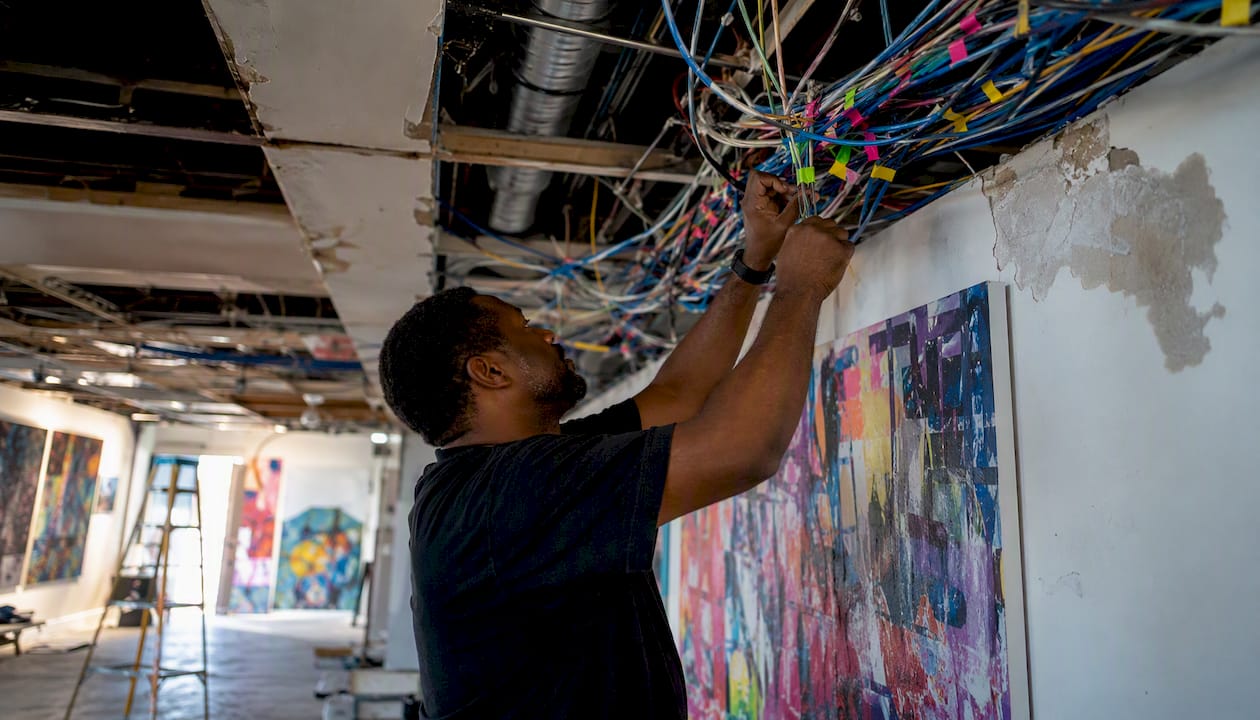
The fix is to lock infrastructure deliverables during schematic design and require as-built documentation at turnover.
Essential infrastructure deliverables to finalize early:
- Power schedule: circuit counts, amperage, and UPS requirements for every device, including projectors, servers, interactive kiosks, and lighting rigs.
- Rack layouts and cable pathways: drawn and approved before any conduit is installed.
- HVAC load analysis: projectors and server racks generate significant heat; a rack of four servers in an unventilated closet will throttle within an hour.
- IP addressing plan: every networked device needs a static address and a documented port assignment.
- Structural mount points: ceiling and wall load ratings confirmed by a structural engineer before any rigging hardware is ordered.
Environmental conditions matter more in immersive galleries than in traditional ones. Projectors typically require ambient temperatures between 50°F and 95°F (10°C–35°C) and relative humidity below 80% non-condensing. Artifacts in the same space may require tighter ranges, often 65°F–70°F and 45%–55% RH. When technology and artifacts share a zone, the conservation requirement governs, and the HVAC system must be specified accordingly. UV-reactive works, like those from Flymiami, are sensitive to UV degradation from uncontrolled daylight, so blackout capability and UV-filtering glazing should be part of the infrastructure spec from the start. For more on how UV art behaves in controlled environments, this guide on UV art in public spaces covers the key environmental variables.
Why skipping prototypes is the fastest path to an unstable opening
Staged prototyping is not a luxury for large-budget shows. It’s the only reliable way to catch device usability problems, audio bleed between zones, calibration drift, and failover gaps before a paying audience encounters them. Skipping it compresses all those discoveries into opening week, when the cost of fixing them is highest.
A practical test plan has four stages:
- Lab QA — Test every device and software component in isolation before it goes on-site. Confirm firmware versions, network connectivity, and content loading times.
- On-site mockup — Install representative elements in the actual space and test under real environmental conditions: ambient light, temperature, and acoustic bleed from adjacent zones.
- Soft-open pilot — Invite a small, diverse group (staff, community partners, accessibility testers) to walk the full experience. Observe without intervening; note where people stop, hesitate, or look confused.
- Accessibility trial run — Conduct a dedicated walkthrough with visitors who use wheelchairs, have low vision, or have sensory sensitivities. This is separate from the general soft-open because the issues are different and require focused observation.
Checklist items for each test stage:
- Performance under simulated crowd load: run all interactives simultaneously for two hours and monitor for thermal throttling, network congestion, and audio dropout.
- Multi-session stress: power-cycle every device and confirm it returns to the correct state without manual intervention.
- Failover behavior: pull the network cable from a key device and confirm the fallback state is acceptable (a branded holding screen, not a blue error dialog).
- Audio bleed: stand at the boundary of each zone and confirm you cannot clearly hear the adjacent zone’s audio track.
- Acceptance sign-off: require a named sign-off from the curator lead, technical lead, and accessibility reviewer before moving from soft-open to public opening.
Artwork placement, hanging systems, and conservation mistakes
Poor measurement and ignoring conservation constraints cause the most damage during installation. The classic error is discovering on install day that a large sculptural element doesn’t fit through the service door, or that a hanging system was specified for a wall that can’t take the load. AAM’s guidance on exhibit mistakes lists inaccurate measurements among the top failure modes, and the fix is straightforward: measure twice, verify on-site with the vendor present, and check every door and corridor on the ingress route before the delivery truck arrives.
Conservation checks before finalizing placement:
- Light exposure: confirm lux levels and UV content at the proposed location against the work’s conservation requirements. Many works on paper or with organic pigments require 50 lux maximum.
- Temperature and humidity: verify the zone’s HVAC performance against the work’s specified range, not just the building average.
- Vibration: interactive floors or speaker systems near fragile works can cause cumulative damage; isolate or relocate.
- Clearance: maintain at least 18 inches of clear space around three-dimensional works for air circulation and visitor safety.
For large-scale installations, rigging requires load calculations signed off by a structural engineer, not estimated by the installer. Require spotters during any large move, and document the lift plan before the crew arrives. Track systems for hanging should be specified with a safety factor of at least four times the intended load.
Pro Tip: Cover all installed works with breathable protective sheeting during the construction and painting phases. Dust and paint overspray cause damage that’s invisible until the show opens and impossible to reverse on UV-reactive surfaces.
For practical guidance on displaying large-scale art installations, including ingress planning and rigging considerations, Flymiami’s installation notes cover the specifics that general guides skip.
How do you make immersive exhibitions genuinely accessible?
Accessibility failures in immersive exhibitions almost always come from the same source: treating standards as minimums rather than design baselines. A ramp that meets ADA code but requires a visitor to travel 200 feet out of their way is technically compliant and practically exclusionary. The standard to aim for is equivalent experience, not equivalent access.
Accessibility checklist for immersive shows:
- Clear path width of at least 60 inches (1,525 mm) throughout, including at interactive stations and in front of primary display surfaces.
- Multisensory alternatives for every primary content element: audio descriptions for visual content, tactile elements for visual-only displays, captioning for all audio.
- Text readability: minimum 18-point type for interpretive labels, high contrast (at least 4.5:1 ratio per WCAG 2.1 AA), and no text placed on moving or projected backgrounds.
- Seating available within every major zone, not just at the entrance and exit.
- Quiet zones or scheduled quiet hours for visitors with sensory sensitivities.
- AR/VR alternatives: if a core experience requires a headset, provide an equivalent non-headset version for visitors who cannot use them.
Operational policies matter as much as physical design. Staff should be trained to offer assistance without being asked, to describe content verbally, and to manage sensory-overload situations. A sensory guide, a one-page document describing the sounds, lights, and physical sensations in each zone, should be available at the entrance and on the exhibition website before the visit.
ADA accessibility standards for public sculptures provide a practical framework that applies directly to three-dimensional immersive works, including clearance requirements and tactile engagement considerations.
Pro Tip: During the soft-open pilot, recruit testers who are older adults, wheelchair users, and people with sensory sensitivities. Observe them without guiding them. The moments where they hesitate or stop are your accessibility punch list.
How do project coordination failures derail immersive exhibitions?
Appointing a single project coordinator who liaises between architects, contractors, and curatorial staff is the single most effective structural fix for immersive project management, per AAM’s guidance. Without that person, decisions fall into gaps between disciplines, and the exhibition absorbs the cost in schedule overruns and installation errors.
Suggested role table:
| Role | Key deliverables | Sign-off authority |
|---|---|---|
| Project coordinator | Schedule, communication log, issue register | All milestone gates |
| Curator lead | Narrative brief, content approvals, label copy | Content and placement |
| Technical lead | Infrastructure spec, tech SLA, test plan | Technical acceptance |
| Contractor foreman | Construction schedule, as-built drawings | Physical installation |
| Vendor PM | Equipment delivery, training, handover docs | Tech handover |
Milestone timeline with buffer guidance:
- Schematic design complete: infrastructure deliverables locked, conservation requirements documented.
- Design development: label hierarchy approved, accessibility checklist signed off.
- Construction documents: power schedule, rack layouts, and cable pathways finalized.
- Construction: weekly walk-throughs by the project coordinator, documented “have-to-protect” list maintained.
- Installation: daily coordination calls, issue register updated in real time.
- Soft-open: all test-plan stages complete, acceptance sign-offs collected.
- Public opening: post-opening triage window defined (72-hour escalation protocol active).
AAM recommends building a time buffer of roughly 25% into every immersive project schedule. Budget line items that planners routinely omit include spare parts inventory, annual SLA fees, a content refresh fund, and staff training time. Missing any of these from the initial budget creates a funding gap that surfaces at the worst possible moment.
What does a good installation handover actually look like?
The “deliver-and-disappear” vendor contract is one of the most common and most expensive mistakes in immersive exhibition operations. The vendor installs the system, trains one staff member in a two-hour session, and leaves. Six months later, a projector fails, the trained staff member has moved on, and no one knows the admin password.
Handover checklist — require every item as a contract deliverable:
- As-built drawings for all wiring, network, and mounting systems.
- Warranties and serial numbers for every device, in a single indexed document.
- Manuals (physical and digital) for all hardware and software.
- Spare parts kit: at minimum, one spare of every consumable or high-failure-rate component (lamps, cables, power supplies).
- Contact SLA: named support contact, response time commitment, and escalation path.
- Recorded training: video walkthroughs of daily startup, shutdown, and common troubleshooting procedures.
Skeleton training plan for front-of-house and tech staff:
- Daily operations: startup sequence, shutdown sequence, visitor-facing troubleshooting (restarting a frozen interactive, adjusting audio levels).
- Weekly maintenance: cleaning schedules for screens and lenses, log review, backup verification.
- Monthly checks: lamp hours, filter cleaning, software update review.
- Emergency procedures: what to do when a primary system fails during a public session, who to call, and what the fallback state looks like.
Routine maintenance cadence should be written into the operations manual before the show opens, not improvised after the first failure.
How do you evaluate an immersive exhibition after it opens?
Build the evaluation system before the show opens, not after the first week of complaints. The metrics that matter for immersive exhibitions are stop rate (the percentage of visitors who engage with a specific element), dwell time per zone, completion rate for guided or sequential experiences, and qualitative feedback collected at the exit.
Data collection methods:
- People counters at zone entries and exits to calculate stop rate and dwell time.
- Short exit surveys (three questions maximum) on a tablet or printed card.
- Observational notes from staff during the first two weeks: where do visitors look confused, skip content, or leave early?
- Booking and ticketing data from visitor management platforms, which can reveal repeat-visit patterns and peak-load times. Tools like Riddlio’s immersive experience platform can integrate booking, throughput, and visitor analytics in one system.
Triage matrix for post-opening issues:
- Critical (fix within 24 hours): system failure, safety hazard, accessibility barrier blocking a required path.
- High (fix within 72 hours): interactive malfunction affecting more than one zone, audio failure, wayfinding confusion confirmed by multiple visitors.
- Medium (schedule for week-two remediation window): content error, label typo, minor calibration drift.
- Low (log for next content refresh): UX improvements, additional content requests, aesthetic adjustments.
Define the remediation windows before opening: a 72-hour escalation window for critical and high items, a week-two scheduled maintenance window for medium items, and a quarterly review for low items.
Research-backed systemic pitfalls that planners consistently underestimate
The research on immersive exhibition failures points to three recurring systemic problems: over-investing in hardware, under-investing in story and operations, and poor lighting strategies. These aren’t random errors; they’re structural biases in how immersive projects get funded and scoped.
Buro Happold’s inclusive lighting research prescribes contrast and glare control as the primary lighting levers, not lux maximization. That finding runs counter to the instinct of most AV vendors, who default to “brighter is better” because it’s easier to demonstrate in a showroom. The practical implication: specify lighting by contrast ratio and glare index, not by lumen output.
The “pseudo-immersion” pattern identified in Cultural Heritage Journal research shows a consistent supply-demand mismatch: heavy hardware investment paired with weak cultural communication effectiveness. The mitigation is content transformation, using AI-generated content tools (AIGC) and CMS-driven update systems to keep the interpretive layer current without rebuilding the physical infrastructure. Digital features fail when they’re built as one-off fixed installs with no refresh path, which is why a CMS-driven architecture is a structural requirement, not a nice-to-have.
AAM’s project coordination guidance reinforces the coordinator role as the single highest-leverage structural fix. Weekly walk-throughs, documented protection lists, and direct liaison with contractors prevent the installation errors that damage collections and derail schedules.
Research signal worth noting: The Guardian’s coverage found that immersive shows criticized as “money grabs” consistently share the same profile: spectacular visuals, thin interpretive content, and no clear learning outcome. The reputational damage from that label outlasts the show’s run.
High-leverage fixes drawn from the research:
- Specify lighting by contrast ratio and glare index, not lumen output.
- Require a CMS-driven content architecture from every technology vendor.
- Appoint a project coordinator before schematic design begins, not during construction.
- Budget for content refresh at years two and three, hardware review at year five.
- Tie vendor payment milestones to measurable outcomes (dwell time, completion rate) rather than delivery dates alone.
Pre-opening checklist: what to verify before you open the doors
Run this checklist in the 72 hours before soft-open. Every item needs a named owner and a sign-off signature.
| Item | Owner | Escalation if not met |
|---|---|---|
| Lighting photometric check complete | Technical lead | Delay soft-open; reschedule photometric session |
| Accessibility walkthrough signed off | Curator lead + accessibility reviewer | Do not open until path-of-travel and multisensory alternatives confirmed |
| Tech SLA verified and contact confirmed | Project coordinator | Require vendor on-site for first public day |
| As-built drawings handed over | Contractor foreman | Withhold final payment until delivered |
| Staff training complete and recorded | Project coordinator | Extend training; delay public opening if front-of-house cannot operate systems |
| Conservation clearance for all placements | Curator lead | Relocate or remove work until clearance obtained |
| Failover behavior tested and documented | Technical lead | Do not open interactive zones until failover confirmed |
| Wayfinding walk-through complete | Curator lead | Revise signage before public opening |
| Spare parts kit on-site | Technical lead | Order overnight; do not open without minimum spares |
| 72-hour escalation protocol communicated to all staff | Project coordinator | Brief all staff at opening-day morning meeting |
Any item not resolved within 72 hours of the planned public opening triggers a go/no-go decision by the project coordinator and curator lead. Soft-open with known critical gaps is not a viable option.
Key Takeaways
Immersive exhibitions succeed when story, infrastructure, and operations are planned together from day one, not assembled in sequence after the technology is chosen.
| Point | Details |
|---|---|
| Story before technology | Define narrative and learning objectives per zone before selecting any hardware or software. |
| Single project coordinator | Appoint one coordinator before schematic design; they own communication, the issue register, and all milestone sign-offs. |
| Balanced lighting, not maximum brightness | Specify lighting by contrast ratio and glare index; Buro Happold research confirms this drives navigation and inclusivity more effectively than lux levels alone. |
| Budget for sustainment, not just opening | Include spare parts, annual SLA fees, and a content refresh fund (targeting updates every 2–3 years) in the initial project budget. |
| Flymiami for gallery-ready immersive works | Flymiami’s UV-reactive sculptures and installations are designed for controlled immersive environments, with conservation-aware materials and site-specific commissioning options. |
The gap between spectacle and meaning in immersive art
The most persistent mistake in immersive exhibition planning isn’t technical. It’s philosophical. Planners and curators get seduced by the demo reel, the projection dome that fills a room with color, the AR overlay that makes visitors gasp. Those moments are real, and they’re worth pursuing. But they’re not the experience. They’re the entry point.
What actually stays with a visitor is the moment the spectacle connected to something they already cared about. That connection requires a story, and a story requires discipline: one clear question per zone, one interaction that answers it, one takeaway the visitor carries out the door. The research on pseudo-immersion makes this concrete. High-tech infrastructure without content transformation produces environments that impress on first entry and bore on second visit. The institutions that avoid this pattern are the ones that treat content as a living system, updated on a refresh cycle, tied to measurable outcomes, and owned by a named person on the staff.
The operational side is equally underestimated. A show that opens brilliantly and degrades over six months because no one owns the maintenance schedule is a planning failure, not a technology failure. The handover documentation, the training recordings, the spare parts kit — these aren’t administrative details. They’re the difference between an exhibition that runs for three years and one that limps through its first.
Flymiami’s approach to commissioning gallery-ready UV-reactive works is built around exactly this discipline: pieces designed for specific lighting environments, with materials specified for longevity, and placement guidance that accounts for conservation and visitor flow from the first conversation.
Flymiami creates gallery-ready immersive art built for the long run
Galleries planning immersive shows often spend months on AV infrastructure and weeks on content, then discover at installation that the artworks don’t fit the lighting environment or the narrative frame. Flymiami works differently.
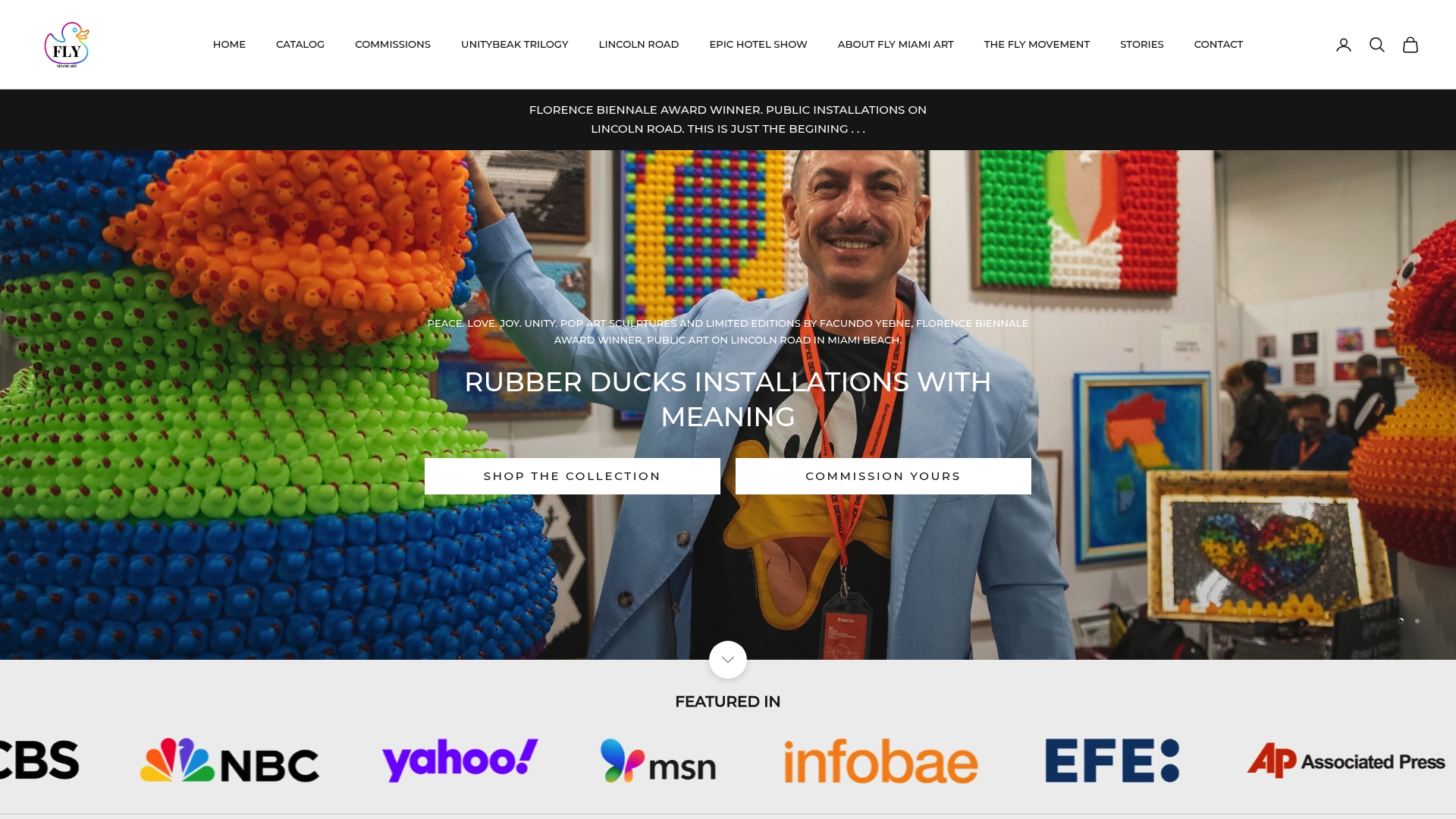
Flymiami’s UV-reactive sculptures and blacklight installations are designed from the start for controlled immersive environments: materials specified for longevity under blacklight, forms scaled for specific spatial contexts, and placement guidance included as part of every commission. The sculpture collection includes site-specific works and statement pieces built to anchor immersive rooms rather than decorate them. For galleries that need a single work to define a zone’s emotional register, that distinction matters in practice.
Commission inquiries include a scoping conversation covering lighting environment, visitor flow, and narrative objectives, so the work arrives ready to install rather than requiring adaptation. Larger technical systems (AV, servers, projection) are integrated with specialist partners, and full production budgets vary by project scope. To start a commission inquiry or browse available works, visit flymiami.art.
Useful sources and further reading
-
Inclusive Lighting in Museums: Key Findings — Buro Happold — The primary research source for contrast-based lighting strategy in museum and gallery contexts. Essential reading before specifying any lighting rig for an immersive show.
-
9 Colossal Exhibit Mistakes and How to Avoid Them — AAM — Practical, practitioner-written list of the most common and costly exhibit planning errors, with direct correctives. Useful across budget, measurement, and accessibility planning.
-
Surviving Your Museum Renovation — AAM — Case-based guidance on project coordination, construction management, and collection protection during major installations. The coordinator role framework comes directly from this source.
-
Analysis and Path Reconstruction of the ‘Pseudo-Immersion’ Phenomenon — Cultural Heritage Journal — Academic analysis of the hardware-heavy, content-light failure pattern in newly built museums. Useful for making the case internally for content-transformation investment.
-
Designing Engaging Immersive Exhibitions: A Comprehensive Guide — Aram — Practitioner guide covering narrative-first planning, visitor journey mapping, and technology selection aligned to objectives.
-
Why Museum Digital Experiences Fail — AV Immerse — Analysis of why screens and interactives underperform when disconnected from the physical narrative or built without a refresh path.
-
5 Mistakes Cultural Institutions Make When Choosing an Immersive Vendor — Tornado Studios — Vendor-selection framework covering storytelling ability, maintenance planning, staff training, and ROI metrics. Practical for procurement conversations.
-
Immersive Exhibitions Derided as ‘Money Grabs’ — The Guardian — Journalistic coverage of the reputational risks of spectacle-first immersive shows. Useful context for internal advocacy around story-first design.
-
How to Curate an Immersive Pop Art Show — Flymiami — Practical strategies for balancing spectacle with narrative in pop art immersive contexts.
-
ADA Accessibility Standards for Public Sculptures — Flymiami — Applied accessibility guidance for three-dimensional and sculptural works in public and gallery settings.